'%3e%3cg%20filter='url(%23filter0_i_679_862)'%3e%3ccircle%20cx='47.3083'%20cy='88.4997'%20r='11.3083'%20fill='url(%23paint0_radial_679_862)'/%3e%3c/g%3e%3ccircle%20cx='50.0719'%20cy='91.9742'%20r='4.025'%20fill='%231B1B1B'/%3e%3cg%20style='mix-blend-mode:color-dodge'%3e%3ccircle%20cx='47.3893'%20cy='90.0612'%20r='1.91667'%20fill='%23D9D9D9'/%3e%3c/g%3e%3c/g%3e%3cg%20clip-path='url(%23clip1_679_862)'%3e%3cg%20filter='url(%23filter1_i_679_862)'%3e%3ccircle%20cx='81.6443'%20cy='88.4997'%20r='11.3083'%20fill='url(%23paint1_radial_679_862)'/%3e%3c/g%3e%3ccircle%20cx='84.4039'%20cy='91.9742'%20r='4.025'%20fill='%231B1B1B'/%3e%3cg%20style='mix-blend-mode:color-dodge'%3e%3ccircle%20cx='81.7214'%20cy='90.0612'%20r='1.91667'%20fill='%23D9D9D9'/%3e%3c/g%3e%3c/g%3e%3cdefs%3e%3cfilter%20id='filter0_i_679_862'%20x='36'%20y='75.1711'%20width='23.6273'%20height='24.6375'%20filterUnits='userSpaceOnUse'%20color-interpolation-filters='sRGB'%3e%3cfeFlood%20flood-opacity='0'%20result='BackgroundImageFix'/%3e%3cfeBlend%20mode='normal'%20in='SourceGraphic'%20in2='BackgroundImageFix'%20result='shape'/%3e%3cfeColorMatrix%20in='SourceAlpha'%20type='matrix'%20values='0%200%200%200%200%200%200%200%200%200%200%200%200%200%200%200%200%200%20127%200'%20result='hardAlpha'/%3e%3cfeOffset%20dx='1.01015'%20dy='-2.02031'/%3e%3cfeGaussianBlur%20stdDeviation='1.01015'/%3e%3cfeComposite%20in2='hardAlpha'%20operator='arithmetic'%20k2='-1'%20k3='1'/%3e%3cfeColorMatrix%20type='matrix'%20values='0%200%200%200%200%200%200%200%200%200%200%200%200%200%200%200%200%200%200.15%200'/%3e%3cfeBlend%20mode='normal'%20in2='shape'%20result='effect1_innerShadow_679_862'/%3e%3c/filter%3e%3cfilter%20id='filter1_i_679_862'%20x='70.3359'%20y='75.1711'%20width='23.6273'%20height='24.6375'%20filterUnits='userSpaceOnUse'%20color-interpolation-filters='sRGB'%3e%3cfeFlood%20flood-opacity='0'%20result='BackgroundImageFix'/%3e%3cfeBlend%20mode='normal'%20in='SourceGraphic'%20in2='BackgroundImageFix'%20result='shape'/%3e%3cfeColorMatrix%20in='SourceAlpha'%20type='matrix'%20values='0%200%200%200%200%200%200%200%200%200%200%200%200%200%200%200%200%200%20127%200'%20result='hardAlpha'/%3e%3cfeOffset%20dx='1.01015'%20dy='-2.02031'/%3e%3cfeGaussianBlur%20stdDeviation='1.01015'/%3e%3cfeComposite%20in2='hardAlpha'%20operator='arithmetic'%20k2='-1'%20k3='1'/%3e%3cfeColorMatrix%20type='matrix'%20values='0%200%200%200%200%200%200%200%200%200%200%200%200%200%200%200%200%200%200.15%200'/%3e%3cfeBlend%20mode='normal'%20in2='shape'%20result='effect1_innerShadow_679_862'/%3e%3c/filter%3e%3cradialGradient%20id='paint0_radial_679_862'%20cx='0'%20cy='0'%20r='1'%20gradientUnits='userSpaceOnUse'%20gradientTransform='translate(47.3083%2088.4997)%20rotate(29.2803)%20scale(11.9552)'%3e%3cstop%20offset='0.634615'%20stop-color='white'/%3e%3cstop%20offset='1'%20stop-color='%23A8FFEA'/%3e%3c/radialGradient%3e%3cradialGradient%20id='paint1_radial_679_862'%20cx='0'%20cy='0'%20r='1'%20gradientUnits='userSpaceOnUse'%20gradientTransform='translate(81.6443%2088.4997)%20rotate(29.2803)%20scale(11.9552)'%3e%3cstop%20offset='0.634615'%20stop-color='white'/%3e%3cstop%20offset='1'%20stop-color='%23A8FFEA'/%3e%3c/radialGradient%3e%3cclipPath%20id='clip0_679_862'%3e%3crect%20width='22.6167'%20height='22.6167'%20fill='white'%20transform='translate(36%2077.1914)'/%3e%3c/clipPath%3e%3cclipPath%20id='clip1_679_862'%3e%3crect%20width='22.6167'%20height='22.6167'%20fill='white'%20transform='translate(70.3359%2077.1914)'/%3e%3c/clipPath%3e%3c/defs%3e%3c/svg%3e)

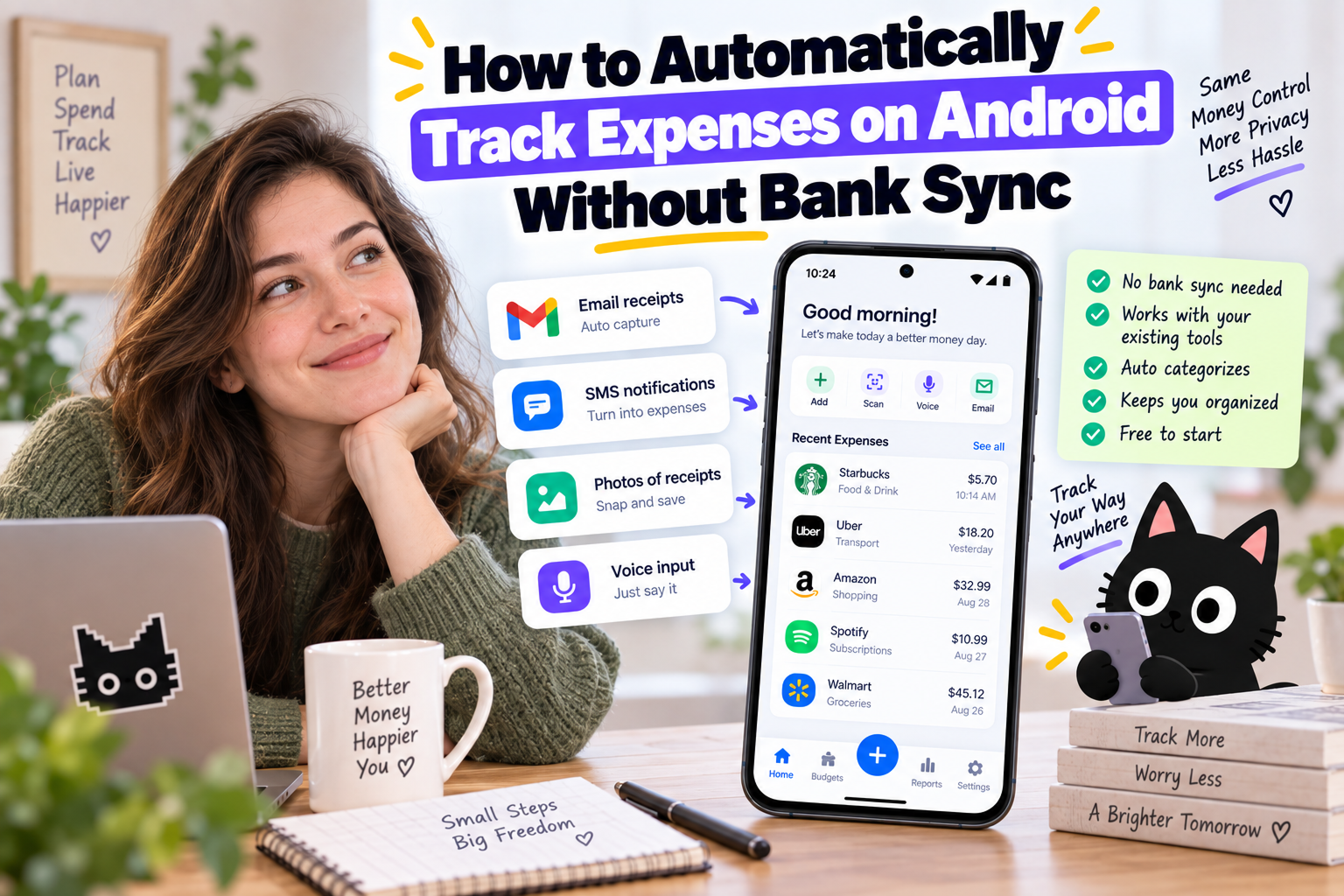
Automatic expense tracking usually comes with a tradeoff: connect your bank account or enter every purchase yourself.
On Android, there is another option.
Many banks, card providers, Google Wallet, and payment apps send a notification after you spend money. An expense tracker with notification capture uses those payment alerts to record transactions without a traditional bank connection.
You spend normally. Your phone receives the payment notification. Your expense tracker turns the alert into a transaction.
For people who want automatic expense tracking without bank sync, this is one of Android's most useful advantages.
Current Moneko product note — September 24, 2026: Moneko also supports notification capture on iOS 27 or later. iPhone users configure a Shortcuts notification automation for apps they select; Android users continue to use Android notification access. These are platform-specific setup paths. Read the iPhone setup guide.
How Automatic Expense Tracking Works on Android
Suppose you spend $42.80 at a grocery store.
Your banking app sends a notification:
$42.80 purchase at Metro
With notification expense tracking enabled, your budget app detects the payment alert and extracts available transaction details.
The workflow looks like this:
Purchase → payment notification → transaction detected → amount and merchant captured → expense categorized → budget updated
Instead of opening your budget app after every purchase and typing $42.80 at Metro, the payment notification becomes the starting point for your expense entry.
Current Android expense trackers already use this approach. Some read transaction notifications from banking, credit-card, wallet, and payment apps rather than requiring a direct financial-account connection.
Bank Sync vs. Android Notification Tracking
Bank sync and notification tracking both reduce manual entry, but the transaction reaches your budget in a different way.
| Bank Sync | Notification Tracking | |
|---|---|---|
| Connect your bank | Yes | No |
| Reads bank transaction feed | Yes | No |
| Uses Android payment alerts | No | Yes |
| Captures new purchases | Yes | Yes |
| Imports historical transactions | Often | No |
| Requires supported bank integration | Yes | No |
| Depends on payment notifications | No | Yes |
Bank sync retrieves transactions through a financial-data connection.
Notification tracking reads supported payment alerts already arriving on your Android phone.
This makes notification tracking useful when your bank isn't supported, you don't want to link a financial account, or you want a lighter way to automate everyday expense tracking.
How to Track Expenses From Android Notifications
Setup varies by expense tracker, but the process usually has four parts.
1. Choose an Expense Tracker With Notification Capture
Look for an Android expense tracker specifically supporting payment or spending notifications.
Useful feature terms include:
- Notification expense tracking
- Automatic expense capture
- Payment notification tracking
- Automatic transaction detection
- Spending notification capture
“Automatic expense tracking” alone doesn't guarantee notification support. Some apps use bank sync instead.
2. Enable Notification Access
Android requires permission before another app reads notifications.
Once enabled, your expense tracker monitors supported payment alerts and identifies transaction information such as merchant and amount.
Notification access is a broad Android permission, so review which notifications the app processes and how financial information is handled before enabling access.
3. Spend Normally
No new checkout routine is required.
Buy groceries, pay for dinner, or make another supported card or wallet purchase.
If your payment provider sends a compatible notification, the expense tracker uses the alert to create the transaction.
4. Review Your Expense
A captured expense might look like:
| Transaction Detail | Example |
|---|---|
| Merchant | Metro |
| Amount | $42.80 |
| Category | Groceries |
| Date | Today |
| Source | Payment notification |
Reviewing category and account information takes far less effort than rebuilding the transaction from scratch later.
Automatically Track Android Expenses With Moneko AI
Moneko supports spending-notification capture on Android, giving you a way to automate everyday expense tracking without relying only on bank sync.
A normal purchase becomes:
Pay → receive payment notification → Moneko captures the expense → review → budget updates
Suppose you spend $68 at Costco. Your payment app sends an Android notification. Moneko uses the spending alert to help record the transaction instead of waiting for you to remember the purchase later.
The important difference is what happens after capture.
Moneko doesn't stop at creating a transaction list. Expenses feed into your budget, categories, Pockets, shared spending, and financial insights, giving the captured purchase context.
What Happens When a Purchase Has No Notification?
Notification tracking won't cover every expense.
Cash has no payment notification. Some banks send limited alerts. An online order might have a better email receipt than payment notification.
This is why relying on several capture methods works better than expecting one source to cover every transaction.
Moneko supports different ways to record spending:
| Purchase | Useful Capture Method |
|---|---|
| Android card purchase | Spending notification |
| Paper receipt | Receipt photo |
| Online purchase | Email receipt |
| Cash purchase | Text or voice |
| Quick manual expense | Text |
| Shared household purchase | Shared Space |
| Supported bank account | Bank sync |
If notification capture misses a transaction, you still have a quick way to record the expense.
This creates a broader approach to automatic expense tracking without forcing every purchase through a bank connection.
Track Shared Expenses Without Sharing Bank Accounts
Notification capture becomes especially useful for couples with separate bank accounts.
Suppose you buy $86 of groceries from your card. Your partner spends $38 on household supplies from another account.
The payments happen separately, but both belong to your household budget.
Moneko Shared Spaces let both partners track expenses belonging to the relationship while personal spending stays separate.
Think of the setup as:
Your card → shared grocery expense
Partner's card → shared household expense
Both expenses → Couple Space
Neither partner needs to merge bank accounts to maintain one view of household spending.
This is useful for couples, roommates, and families sharing groceries, rent, subscriptions, pets, travel, and other recurring household costs.
Notification Tracking vs. SMS Expense Tracking
Android also supports another form of automatic expense capture: transaction SMS messages.
The difference is the source.
Notification tracking reads payment alerts from Android apps.
SMS tracking reads transaction messages sent by a bank or payment provider.
If your bank sends detailed app notifications, notification tracking makes more sense. If your bank relies heavily on transaction SMS, an SMS-based tracker might provide better coverage.
Some expense trackers support both sources.
For Moneko's Android workflow, spending notifications provide the more relevant route.
Does Notification Tracking Work With Every Bank?
No.
Your bank or payment provider needs to send a useful notification.
A notification such as:
$52.30 purchase at Walmart
contains enough information for meaningful expense capture.
A generic alert such as:
New activity on your account
contains far less useful transaction data.
Notification formats also differ between banks and payment apps, so coverage varies.
Bank sync remains stronger for complete transaction history, account balances, and historical imports. Notification tracking is better viewed as an alternative capture method for everyday spending rather than a complete replacement for every banking-data use case.
Why Use an Expense Tracker Without Bank Sync?
There are several reasons you might prefer automatic tracking without connecting a bank.
Your bank might not be supported. You might use accounts from several countries. You might prefer choosing which transactions enter your budgeting system. Or you might want automatic expense capture without maintaining another financial-data connection.
Without automation, the alternative is often manual entry.
You buy coffee before work, groceries on the way home, and something online after dinner. By the weekend, you are scrolling through statements trying to remember what each transaction was for.
Notification capture moves expense tracking closer to the moment when spending happens.
Instead of remembering purchases later, your existing payment alerts do part of the work.
Is Android Notification Expense Tracking Private?
Notification access deserves attention because Android gives the selected app permission to read notifications.
Before enabling access, check the expense tracker's privacy documentation for:
- Which notifications are processed
- Which apps are monitored
- Whether notification content leaves your device
- What transaction information gets stored
- How long information is retained
- How notification access is revoked
Avoid assuming “no bank sync” means “no financial information gets processed.”
The two issues are different. Notification tracking removes the direct bank connection, but the expense tracker still needs access to selected transaction information to record spending.
When Notification Expense Tracking Makes Sense
Android notification tracking is a strong fit when you want automatic expense tracking but don't want to depend on a bank connection.
The approach works especially well when your bank or wallet sends consistent transaction notifications and most everyday spending happens electronically.
Bank sync remains useful when you need historical transactions or broader account information. Manual, receipt, voice, and email capture remain useful for purchases without payment alerts.
You don't need to pick one method for every expense.
Use the easiest source already generated by each purchase.
Frequently Asked Questions
How do I automatically track expenses on Android?
Use an Android expense tracker with payment-notification capture. After granting notification access, supported transaction alerts provide information such as merchant and amount for new expense entries.
How do I track expenses without linking my bank account?
Android payment notifications, receipt scanning, email receipts, text, voice, SMS, and manual entry all provide alternatives to traditional bank sync. Moneko combines several of these capture methods in one budgeting system.
Is there an automatic expense tracker without bank sync?
Yes. Some Android expense trackers use payment notifications or SMS instead of a direct bank connection. Check whether the app specifically supports notification capture rather than assuming all automatic trackers work the same way.
Does Android support expense tracking from notifications?
Android provides notification-access permissions. Expense trackers using this permission read supported transaction alerts and convert available payment information into expense records.
Does notification tracking work with Google Wallet?
Notification-based tracking depends on the alerts generated on your device and the formats supported by your expense tracker. Check the tracker's current support for Google Wallet and your payment provider.
Is notification tracking the same as bank sync?
No. Bank sync retrieves transaction information through a financial-data connection. Notification tracking uses payment alerts appearing on your Android device.
Track Spending Without Rebuilding Your Day
You shouldn't need to remember every purchase at night to keep an accurate budget.
On Android, payment notifications already record many of the moments when money leaves your account. Notification expense tracking turns those alerts into useful spending records without requiring traditional bank sync.
For everything else, use the source closest to the purchase: a receipt photo, email receipt, voice entry, text entry, or supported bank connection.
The result is a simpler habit. Spend normally, capture expenses close to when they happen, and keep your budget current without manually reconstructing every transaction later.
