'%3e%3cg%20filter='url(%23filter0_i_679_862)'%3e%3ccircle%20cx='47.3083'%20cy='88.4997'%20r='11.3083'%20fill='url(%23paint0_radial_679_862)'/%3e%3c/g%3e%3ccircle%20cx='50.0719'%20cy='91.9742'%20r='4.025'%20fill='%231B1B1B'/%3e%3cg%20style='mix-blend-mode:color-dodge'%3e%3ccircle%20cx='47.3893'%20cy='90.0612'%20r='1.91667'%20fill='%23D9D9D9'/%3e%3c/g%3e%3c/g%3e%3cg%20clip-path='url(%23clip1_679_862)'%3e%3cg%20filter='url(%23filter1_i_679_862)'%3e%3ccircle%20cx='81.6443'%20cy='88.4997'%20r='11.3083'%20fill='url(%23paint1_radial_679_862)'/%3e%3c/g%3e%3ccircle%20cx='84.4039'%20cy='91.9742'%20r='4.025'%20fill='%231B1B1B'/%3e%3cg%20style='mix-blend-mode:color-dodge'%3e%3ccircle%20cx='81.7214'%20cy='90.0612'%20r='1.91667'%20fill='%23D9D9D9'/%3e%3c/g%3e%3c/g%3e%3cdefs%3e%3cfilter%20id='filter0_i_679_862'%20x='36'%20y='75.1711'%20width='23.6273'%20height='24.6375'%20filterUnits='userSpaceOnUse'%20color-interpolation-filters='sRGB'%3e%3cfeFlood%20flood-opacity='0'%20result='BackgroundImageFix'/%3e%3cfeBlend%20mode='normal'%20in='SourceGraphic'%20in2='BackgroundImageFix'%20result='shape'/%3e%3cfeColorMatrix%20in='SourceAlpha'%20type='matrix'%20values='0%200%200%200%200%200%200%200%200%200%200%200%200%200%200%200%200%200%20127%200'%20result='hardAlpha'/%3e%3cfeOffset%20dx='1.01015'%20dy='-2.02031'/%3e%3cfeGaussianBlur%20stdDeviation='1.01015'/%3e%3cfeComposite%20in2='hardAlpha'%20operator='arithmetic'%20k2='-1'%20k3='1'/%3e%3cfeColorMatrix%20type='matrix'%20values='0%200%200%200%200%200%200%200%200%200%200%200%200%200%200%200%200%200%200.15%200'/%3e%3cfeBlend%20mode='normal'%20in2='shape'%20result='effect1_innerShadow_679_862'/%3e%3c/filter%3e%3cfilter%20id='filter1_i_679_862'%20x='70.3359'%20y='75.1711'%20width='23.6273'%20height='24.6375'%20filterUnits='userSpaceOnUse'%20color-interpolation-filters='sRGB'%3e%3cfeFlood%20flood-opacity='0'%20result='BackgroundImageFix'/%3e%3cfeBlend%20mode='normal'%20in='SourceGraphic'%20in2='BackgroundImageFix'%20result='shape'/%3e%3cfeColorMatrix%20in='SourceAlpha'%20type='matrix'%20values='0%200%200%200%200%200%200%200%200%200%200%200%200%200%200%200%200%200%20127%200'%20result='hardAlpha'/%3e%3cfeOffset%20dx='1.01015'%20dy='-2.02031'/%3e%3cfeGaussianBlur%20stdDeviation='1.01015'/%3e%3cfeComposite%20in2='hardAlpha'%20operator='arithmetic'%20k2='-1'%20k3='1'/%3e%3cfeColorMatrix%20type='matrix'%20values='0%200%200%200%200%200%200%200%200%200%200%200%200%200%200%200%200%200%200.15%200'/%3e%3cfeBlend%20mode='normal'%20in2='shape'%20result='effect1_innerShadow_679_862'/%3e%3c/filter%3e%3cradialGradient%20id='paint0_radial_679_862'%20cx='0'%20cy='0'%20r='1'%20gradientUnits='userSpaceOnUse'%20gradientTransform='translate(47.3083%2088.4997)%20rotate(29.2803)%20scale(11.9552)'%3e%3cstop%20offset='0.634615'%20stop-color='white'/%3e%3cstop%20offset='1'%20stop-color='%23A8FFEA'/%3e%3c/radialGradient%3e%3cradialGradient%20id='paint1_radial_679_862'%20cx='0'%20cy='0'%20r='1'%20gradientUnits='userSpaceOnUse'%20gradientTransform='translate(81.6443%2088.4997)%20rotate(29.2803)%20scale(11.9552)'%3e%3cstop%20offset='0.634615'%20stop-color='white'/%3e%3cstop%20offset='1'%20stop-color='%23A8FFEA'/%3e%3c/radialGradient%3e%3cclipPath%20id='clip0_679_862'%3e%3crect%20width='22.6167'%20height='22.6167'%20fill='white'%20transform='translate(36%2077.1914)'/%3e%3c/clipPath%3e%3cclipPath%20id='clip1_679_862'%3e%3crect%20width='22.6167'%20height='22.6167'%20fill='white'%20transform='translate(70.3359%2077.1914)'/%3e%3c/clipPath%3e%3c/defs%3e%3c/svg%3e)

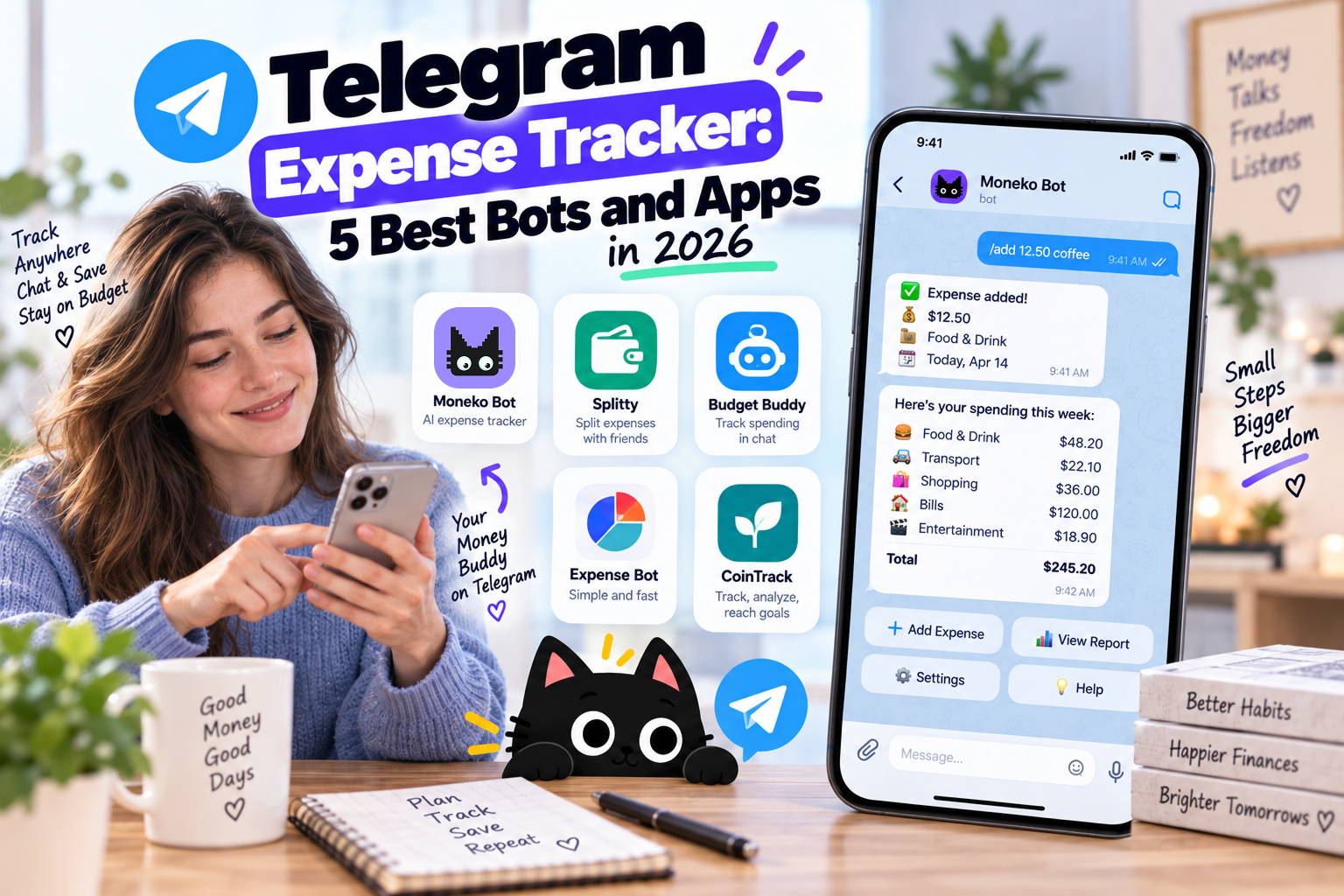
If you already use Telegram every day, tracking expenses through the same chat interface makes sense. Instead of opening a budgeting app after every purchase, you send a message such as “Lunch $12” or “Groceries $86” and move on.
Telegram expense trackers range from simple bots that record transactions to AI budgeting apps that understand natural language and connect your spending to budgets, shared expenses, and financial reports. The best choice depends on whether you want a quick expense log or a broader budgeting system.
Best Telegram Expense Trackers at a Glance
| Expense Tracker | Best For | AI Tracking | Beyond Expense Tracking |
|---|---|---|---|
| Moneko AI | Budgeting and shared finances | Yes | Budgets, bill splitting, recurring expenses |
| Finly | Personal expense tracking | Yes | Budgets, analytics, exports |
| ExpenseBot | Open-source expense tracking | No | Monthly spending stats |
| Tabby | Telegram-native budgeting | Limited | Budgets, summaries, group expenses |
| SplitFast | Group expense splitting | Yes | Balances, settlements, receipt splitting |
What Is a Telegram Expense Tracker?
A Telegram expense tracker records purchases from messages you send through Telegram. Instead of opening an app and completing several transaction fields, you send something like “Coffee $5,” “Taxi €30 yesterday,” or “Dinner $72 split with Alex.”
Depending on the service, the transaction then appears in a Telegram Mini App, spreadsheet, dashboard, or separate budgeting app. AI-based trackers make the process easier by interpreting natural language rather than requiring commands such as /expense 25 food.
This makes Telegram especially useful for people who struggle to keep a traditional expense tracker updated. The purchase happens, you send a message, and your expense is recorded while you still remember it.
1. Moneko AI: Best Telegram Expense Tracker for Everyday Budgeting
Best for: Couples, families, roommates, and anyone who wants Telegram expense tracking connected to a broader budget.
Most Telegram expense bots focus on recording transactions. You send “Groceries $82,” the bot saves the purchase, and its job is mostly finished.
Moneko takes the process further. You record spending through Telegram, WhatsApp, voice, receipt photos, or the Moneko app, while AI organizes expenses and keeps your budget updated.
For example, send:
Groceries $92
The purchase gets organized with your grocery spending.
Or send:
Dinner $64 split with Alex
Now the purchase becomes part of your shared finances rather than sitting inside a standalone expense log.
Moneko also connects those transactions with Shared Spaces, bill splitting, recurring expenses, Pockets, and spending insights. This makes it a better fit for people who want Telegram as a fast input method while managing their finances somewhere designed for budgeting.
Why We Picked Moneko
Telegram is good at capturing information quickly. A budgeting app is better at showing what all those expenses mean.
Moneko combines both workflows. Telegram handles quick expense entry, while Moneko organizes your spending into budgets, categories, recurring expenses, and shared finances.
Who Should Choose Moneko?
Choose Moneko if you want to track expenses through Telegram while also managing groceries, rent, utilities, subscriptions, and household spending with a partner, family, or roommate.
2. Finly: Best Telegram-Native AI Expense Tracker
Best for: Personal expense tracking without leaving Telegram.
Finly focuses on natural-language expense entry. Instead of learning commands, you write something like “50 coffee,” “+1500 salary,” or “30€ taxi yesterday,” and AI interprets the transaction.
A Telegram Mini App gives you access to transaction history and analytics, keeping most of the experience inside Telegram. This makes Finly a good fit if you want Telegram to serve as your primary expense-tracking interface.
Who Should Choose Finly?
Choose Finly if fast personal expense logging matters more than household budgeting or shared financial management.
3. ExpenseBot: Best Open-Source Telegram Expense Tracker
Best for: People looking for a simple open-source expense bot.
ExpenseBot takes a more traditional approach. You record everyday purchases through Telegram, assign categories, and review how much you've spent.
The open-source project supports transaction entry, monthly statistics, transaction history, currencies, exports, time zones, and undo functionality. Its structured workflow feels less conversational than newer AI trackers, but publishing the source code gives technically experienced users more control.
Who Should Choose ExpenseBot?
Choose ExpenseBot if you want straightforward expense tracking and prefer an open-source project over an AI-focused budgeting service.
4. Tabby: Best for Budgeting Inside Telegram
Best for: People who want expense tracking and basic budgeting inside Telegram.
Tabby sits between a simple expense bot and a traditional budgeting app. Users record purchases through messages, categorize expenses, set monthly budgets, review summaries, and access spending breakdowns through a Telegram Mini App.
This approach works well if you prefer staying inside Telegram rather than switching between Telegram and a separate financial dashboard.
Who Should Choose Tabby?
Choose Tabby if you want your expense tracker and basic monthly budget to live primarily inside Telegram.
5. SplitFast: Best Telegram Expense Tracker for Groups
Best for: Friends, roommates, trips, and groups splitting expenses.
SplitFast focuses on a different problem. Instead of tracking only how much you spent, the service helps groups understand who paid and who owes money.
Its Telegram Mini App handles shared expenses, group balances, settlements, receipt scanning, and item-level splits. This makes SplitFast closer to a Telegram-based Splitwise alternative than a personal budgeting app.
Who Should Choose SplitFast?
Choose SplitFast if you're traveling with friends or managing group expenses and mainly need to settle balances afterward.
Why Use Telegram to Track Expenses?
Most people don't stop tracking expenses because categorizing a purchase is difficult. They stop because maintaining the habit takes too much effort.
Traditional manual tracking often looks like this:
Purchase → remember later → open budgeting app → add transaction → select category → save
Telegram shortens the process:
Purchase → send “Lunch $16”
For people who already use Telegram throughout the day, recording an expense starts to feel more like sending a message than doing financial admin.
AI Makes Telegram Expense Tracking Easier
Older Telegram expense bots often rely on commands such as:
/expense 15 food
Newer AI trackers understand ordinary language:
Spent $15 on lunch
$84 groceries yesterday
Paid €42 for dinner in Paris
AI identifies details such as the amount, category, currency, description, and date from the message. Some services also process receipt photos and voice notes, giving you several ways to record spending without completing a traditional expense form.
Telegram Expense Tracking for Couples and Roommates
Tracking your own spending is one problem. Sharing expenses with another person creates another layer.
Suppose you and your partner spend $2,000 on rent, $600 on groceries, $150 on utilities, $80 on internet, and $60 on subscriptions each month. A basic Telegram bot records those purchases. A group splitter calculates who owes whom. Neither gives you much insight into how those expenses affect your household budget.
Moneko connects Telegram expense entry with Shared Spaces, budgets, recurring expenses, and bill splitting. Instead of stopping after an expense is recorded, both people get a clearer view of shared spending over time.
For a weekend trip, a group expense bot might be enough. For expenses that repeat every month, connecting Telegram to a household budgeting system makes more sense.
Telegram Expense Tracker vs. Traditional Budgeting App
| Feature | Telegram Expense Tracker | Traditional Budgeting App |
|---|---|---|
| Expense entry | Send a message | Open app and enter transaction |
| Natural language | Common with AI trackers | Depends on app |
| Voice notes | Some trackers | Depends on app |
| Receipt photos | Some trackers | Often |
| Monthly budgets | Depends on tracker | Usually |
| Shared finances | Limited | Depends on app |
| Financial reports | Basic to moderate | Usually stronger |
| Recurring expenses | Depends on tracker | Common |
Telegram works best as a fast way to record spending. A dedicated budgeting app works better when you want to review categories, plan spending, manage recurring expenses, or understand household finances.
Moneko combines these approaches by using Telegram for expense capture while keeping broader money management inside the main app.
Is a Telegram Expense Tracker Safe?
Before using a Telegram finance bot, check what financial information gets stored, where your data lives, whether messages are retained, which AI providers process your information, and whether you have options to export or delete your data.
Open-source projects offer more transparency for technically experienced users, especially when self-hosting is available. Regardless of which tracker you choose, avoid sending card numbers, banking passwords, authentication codes, or other financial credentials through an expense-tracking chat.
Frequently Asked Questions
What is the best Telegram expense tracker in 2026?
Moneko is a strong choice if you want Telegram expense capture connected to budgeting, recurring expenses, and shared finances. Finly focuses on AI-powered personal tracking inside Telegram, ExpenseBot offers an open-source approach, and SplitFast focuses on group expenses.
Is there a free Telegram expense tracker?
Yes. Several Telegram expense trackers offer free functionality, while open-source options such as ExpenseBot provide another route. Check each service's current free-plan limits before choosing one.
How do I track expenses through Telegram?
Connect Telegram to an expense-tracking bot or budgeting service, then record purchases through messages. With an AI-based tracker, you might send “Groceries $65” and have the amount and category interpreted automatically.
Is there an AI expense tracker for Telegram?
Yes. AI-based Telegram expense trackers interpret natural-language messages instead of requiring strict commands. Depending on the service, they also support receipt photos, voice notes, automatic categorization, and spending summaries.
What is the best Telegram expense tracker for couples?
Moneko fits couples who want Telegram expense capture alongside shared budgets, recurring household expenses, and bill splitting. A simpler group expense bot works better when your only goal is calculating who owes whom.
Does Telegram work for tracking shared expenses?
Yes. Group-focused tools track who paid and calculate balances between members. For ongoing household finances, a budgeting platform with Telegram expense capture gives you more context around recurring bills and monthly spending.
Is Telegram better than a budgeting app for expense tracking?
Telegram is faster for recording purchases when you already use the messaging app throughout the day. A dedicated budgeting app provides a stronger interface for reviewing spending, setting budgets, managing recurring expenses, and understanding financial trends. A service that connects both workflows offers the benefits of each.
Final Verdict
Telegram expense trackers make manual tracking easier by reducing the number of steps between spending money and recording the purchase. Finly and ExpenseBot work well for personal expense logging, Tabby adds basic budgeting, and SplitFast focuses on groups.
Moneko is the better fit when you want Telegram to be the starting point rather than the entire financial system. You record an expense through Telegram, then Moneko organizes the spending alongside your budgets, recurring expenses, Shared Spaces, and bill splits.
If you keep abandoning expense trackers because entering every purchase feels like work, moving the first step into Telegram is worth trying.
