

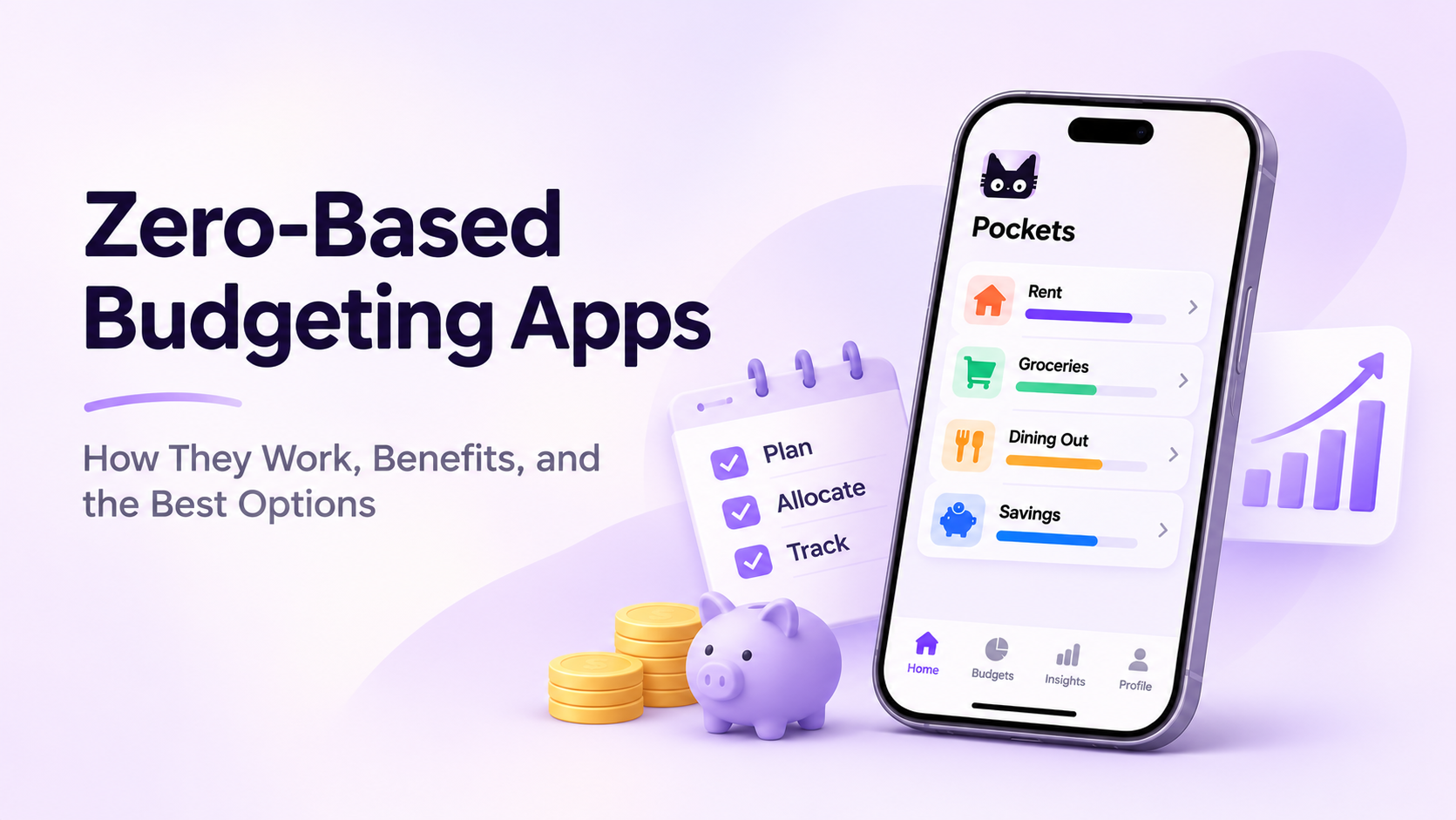
Ever reach the end of the month and wonder where all your money went? You paid your bills, bought groceries, grabbed a few coffees, and somehow your bank balance is lower than expected.
A zero-based budgeting app can help you take control of that cycle.
Instead of tracking expenses only after they happen, zero-based budgeting helps you decide where your money should go before you spend it. Every dollar gets a purpose, whether that's paying rent, buying groceries, saving for a vacation, or building an emergency fund.
And no, zero-based budgeting doesn't mean spending everything you earn.
It means planning for everything you earn.
With modern budgeting apps like Moneko, YNAB, and Goodbudget, you can organize your money into digital categories, monitor spending, and adjust your budget as life happens.
Here's how zero-based budgeting works, how to get started, and which apps are worth considering.
What Is a Zero-Based Budgeting App?
A zero-based budgeting app is a personal finance tool that helps you assign every dollar of your available income to a specific purpose.
The goal is simple:
Income − Planned Expenses − Savings − Debt Payments = $0
For example, if you earn $4,000 per month, you create a plan for all $4,000. Some money goes toward bills, some toward everyday spending, and some toward savings or financial goals.
When everything is assigned, your unallocated balance reaches zero.
But your actual bank account doesn't have to.
Money set aside for emergencies, future purchases, or next month's bills is still yours. It simply has a job.
This approach is closely related to envelope budgeting, where you divide money into categories before spending it.
The difference is that modern apps replace physical cash envelopes with digital budgets, making it easier to track spending and adjust allocations.
How Does Zero-Based Budgeting Work? A Simple Example
Imagine your monthly take-home income is $5,000.
Instead of spending throughout the month and saving whatever remains, you create a plan before making purchases.
Here's what that might look like:
| Budget Category | Monthly Budget |
|---|---|
| Rent | $1,800 |
| Groceries | $600 |
| Utilities | $250 |
| Transportation | $200 |
| Dining Out | $300 |
| Emergency Savings | $500 |
| Retirement Savings | $400 |
| Debt Payments | $350 |
| Investments | $500 |
| Fun Money | $100 |
| Total Assigned | $5,000 |
| Money Left to Assign | $0 |
Every dollar now has a purpose.
Suppose you spend $80 on groceries. Your grocery budget decreases from $600 to $520.
Later, you realize your electricity bill is $50 higher than expected. You can move $50 from your dining-out budget to utilities.
Your priorities haven't failed. Your plan has simply changed.
That's one of the biggest advantages of zero-based budgeting: you can adjust your spending without losing sight of your overall financial goals.
How to Start Zero-Based Budgeting in 5 Steps
You don't need to be a financial expert or love spreadsheets to start. A few simple habits can make the process manageable.
Step 1: Calculate Your Available Income
Start with the money you actually have available to budget.
If you receive a regular paycheck, this might be your monthly take-home income.
If you're a freelancer or have irregular income, consider budgeting money as it arrives rather than relying entirely on expected future payments.
Include income sources such as:
- Salary or wages
- Freelance payments
- Side-hustle income
- Other money available for spending or saving
If you're budgeting money already sitting in your accounts, make sure you don't count it twice when recording new income.
Step 2: Create Your Budget Categories
Next, organize your spending into categories.
A good starting point is:
Essentials: Rent, groceries, transportation, utilities, and insurance.
Lifestyle: Dining out, entertainment, shopping, and hobbies.
Savings: Emergency funds, vacations, home purchases, and other goals.
Debt: Credit card payments, student loans, and other repayments.
You can start with broad categories and make them more specific later.
The goal isn't to build the perfect budget on day one. It's to create a system you'll actually use.
Step 3: Give Every Dollar a Job
Now distribute your available money across those categories.
Start with essential bills and upcoming obligations. Then allocate money toward savings, debt payments, and flexible spending.
Continue until the amount left to assign reaches zero.
If you have extra money, you don't need to spend it. You can assign it to an emergency fund, future bills, or a savings goal.
And if you can't fully fund every category, prioritize what matters most rather than pretending your income can cover everything.
Step 4: Track Your Spending
A budget only stays useful when you know how much you've spent.
For example, if you assign $400 to dining out and spend $75 at a restaurant, you should be able to see that $325 remains.
Some budgeting apps require manual transaction entry. Others offer bank connections, receipt scanning, or AI-assisted expense tracking.
Choose a method that fits your habits.
If manually entering every transaction feels exhausting, an app with faster expense capture may make budgeting easier to maintain.
Step 5: Review and Adjust Regularly
Your budget doesn't need to stay exactly the same all month.
Unexpected expenses happen. Grocery prices change. Friends invite you out. Your car needs repairs.
Instead of abandoning your budget, move money between categories when necessary.
Try a short weekly review:
- Check which categories are close to their limits.
- Look for transactions you haven't recorded.
- Move money to cover unexpected expenses.
- Review upcoming bills and savings goals.
A flexible budget is often more useful than a perfect budget you stop following.
Best Zero-Based Budgeting Apps Compared
The best zero-based budgeting app depends on how you prefer to manage money.
Some apps emphasize detailed planning and reconciliation. Others focus on simple envelopes, shared household budgets, or easier expense tracking.
Here are six options worth considering.
| App | Best For | Key Strength |
|---|---|---|
| Moneko AI | AI-assisted expense tracking | AI entry, Pockets, shared budgeting |
| YNAB | Detailed zero-based budgeting | Structured allocation and reconciliation |
| Goodbudget | Traditional envelope budgeting | Simple digital envelopes |
| EveryDollar | Debt-focused budgeting | Straightforward monthly planning |
| Actual Budget | Privacy and customization | Open-source, local-first budgeting |
| Monarch Money | Broader financial management | Flexible budgets and financial overview |
Features, pricing, and availability may vary by platform, region, and subscription plan.
1. Moneko AI — Best for AI-Powered Expense Tracking and Shared Budgets
Moneko combines zero-based budgeting with AI-assisted expense tracking, helping users organize their finances without manually entering every transaction.
Its Pockets system lets you create budgets for everyday spending, recurring bills, and financial goals.
Instead of filling out multiple transaction fields, you can record expenses through natural-language chat, voice input, or receipt photos.
Moneko also supports Shared Spaces, making it useful for couples, roommates, or households who want to manage shared spending together.
Best for: People who want a simpler way to track spending, manage flexible budgets, and collaborate on household finances.
Moneko offers a free plan, so you can explore its budgeting features before deciding whether to upgrade.
2. YNAB — Best for Detailed Budget Planning
YNAB, short for You Need A Budget, is one of the most established apps built around zero-based budgeting principles.
Its approach focuses on assigning available money to categories, planning for irregular expenses, and adjusting allocations when circumstances change.
YNAB offers detailed budgeting tools, transaction reconciliation, and educational resources.
The trade-off is that its structured approach can take time to learn, especially if you're new to budgeting.
Best for: People who want a hands-on budgeting system and are comfortable reviewing their finances regularly.
3. Goodbudget — Best for Simple Envelope Budgeting
Goodbudget brings the traditional cash-envelope system into a digital format.
You create envelopes for expenses such as groceries, rent, and entertainment, then allocate money to each one.
Its manual-first approach encourages you to stay aware of individual purchases.
However, users who prefer automated transaction tracking may find the process time-consuming.
Best for: Beginners who want straightforward envelope budgeting and don't mind entering transactions manually.
4. EveryDollar — Best for Debt-Focused Budgeting
EveryDollar is designed around monthly zero-based budgeting.
Users create a spending plan, organize expenses into categories, and assign their income before spending.
Its straightforward layout can appeal to people who want to follow a structured budget while working toward debt repayment goals.
Some automated features require a paid plan.
Best for: People who want a simple monthly budgeting process, particularly those focused on reducing debt.
5. Actual Budget — Best for Privacy and Control
Actual Budget is an open-source, local-first budgeting application.
It uses an envelope-style budgeting system and offers tools for transaction management, budget allocation, and financial reporting.
Users can self-host the application, giving them greater control over where their financial data is stored.
However, setting up synchronization and maintaining a self-hosted installation may require more technical knowledge.
Best for: Privacy-conscious users and people who prefer open-source financial software.
6. Monarch Money — Best for an Overall Financial Picture
Monarch Money offers a broader personal finance experience, including budgeting, transaction tracking, recurring expenses, and net worth monitoring.
Unlike stricter zero-based budgeting tools, Monarch provides a more flexible approach to planning and reviewing finances.
That makes it an alternative for users who want to manage spending alongside investments, assets, and longer-term financial goals.
Best for: People who prefer an all-in-one financial dashboard over a strictly envelope-based system.
How to Choose the Right Zero-Based Budgeting App
There's no single app that works best for everyone.
Instead of choosing the platform with the longest feature list, think about which budgeting problems you actually want to solve.
If you struggle with manual expense tracking: Look for AI-assisted entry, receipt scanning, or bank synchronization. Moneko may be worth trying if you prefer recording purchases through chat or voice.
If you want a strict budgeting routine: YNAB offers a structured approach that encourages regular planning and reconciliation.
If you're budgeting with a partner: Look for shared budgets, household expense tracking, and clear ways to manage joint spending.
If you prefer manual control: Goodbudget provides a straightforward digital-envelope experience.
If privacy and customization matter most: Actual Budget offers an open-source option with self-hosting capabilities.
If you want to monitor your broader finances: Monarch Money may be a better fit for combining budgeting with assets, investments, and net worth tracking.
Before committing to any app, consider trying it with one month of real expenses.
An app that fits your everyday routine is more useful than one with advanced features you rarely touch.
How to Start Zero-Based Budgeting with Moneko
One of the hardest parts of budgeting is keeping your spending records up to date.
Moneko aims to make that easier by combining Pockets budgeting with AI-powered expense tracking.
Here's how to get started.
1. Set Up Your Wallets and Income
Begin by adding your financial accounts or creating manual wallets to represent the money you manage.
Depending on availability and supported institutions, you may also be able to connect eligible bank accounts.
Record your income and review the money available for budgeting.
This gives you a starting point for planning your spending.
2. Create Your Budget Pockets
Next, create Pockets for the categories that matter to you.
For example:
- Rent and utilities
- Groceries
- Dining out
- Transportation
- Emergency savings
- Vacation fund
Assign available money to your Pockets according to your priorities.
As you spend, you can monitor how much you've budgeted, how much you've used, and what's remaining.
Moneko also supports budget rollover, helping you carry unused amounts forward when planning future spending.
3. Record Expenses with AI
Instead of manually filling out transaction details every time you buy something, you can use Moneko's AI-powered input options.
For example, you might type:
"Spent $18 on lunch today."
Or use your voice to record a purchase while you're on the go.
You can also photograph a receipt and let Moneko help extract transaction information.
Review the recorded details and category to make sure everything is accurate.
The goal is to make expense tracking feel like a quick daily habit rather than another administrative task.
4. Manage Shared Expenses Together
If you share expenses with a partner, roommate, or family member, Moneko's Shared Spaces can help organize joint spending.
You can use a shared space for household expenses such as groceries, utilities, or dining out while maintaining a separate personal space.
This makes it easier to see shared spending without mixing every personal transaction into the same budget.
5. Review Your Spending and Adjust
Throughout the month, check your Pockets to see how your spending compares with your plan.
If one category needs more money, revisit your allocations and adjust your budget.
Over time, these reviews can help you understand your habits and build a more realistic plan.
Ready to give every dollar a job?
Try Moneko for free and explore a simpler way to budget with AI expense tracking, flexible Pockets, and shared finances.
Common Zero-Based Budgeting Mistakes to Avoid
Zero-based budgeting is straightforward in theory, but a few common mistakes can make it harder than necessary.
1. Creating Too Many Categories
It's tempting to create a separate budget for every type of purchase.
But managing dozens of categories can quickly become overwhelming.
Start with a manageable number, then add detail when you need it.
2. Forgetting Irregular Expenses
Annual insurance payments, holiday gifts, car repairs, and subscriptions can disrupt a budget when you haven't planned for them.
Create sinking funds for predictable expenses that don't happen every month.
For example, if your annual insurance bill is $1,200, setting aside $100 per month can help you prepare for it.
3. Treating Zero as an Empty Bank Account
A zero-based budget doesn't mean you should spend all your money.
It means all available money has been assigned a purpose.
Savings, emergency funds, and money reserved for future expenses all count.
4. Ignoring Overspending
If you overspend in one category, don't hide the difference or give up on the budget.
Review your remaining funds and decide which other category can reasonably cover the expense.
If there isn't enough money available, you may need to reduce spending or revisit your priorities.
5. Counting Transfers as Expenses
Moving money between your own accounts doesn't necessarily mean you've spent it.
For example, transferring $300 from checking to savings changes where your money is held, not your total wealth.
Make sure your budgeting system distinguishes transfers from actual spending to avoid double-counting.
Frequently Asked Questions
What is the best zero-based budgeting app for beginners?
The best app for beginners is one that's easy to understand and maintain. Moneko offers AI-assisted expense tracking and Pockets budgeting, while Goodbudget provides a simple envelope-based approach. YNAB is another option for people who want more structured guidance.
Is there a free zero-based budgeting app?
Yes. Moneko offers a free plan for getting started with budgeting. Goodbudget and EveryDollar also offer free options, while Actual Budget is open-source. Features and limitations vary, so compare each app before choosing.
Is zero-based budgeting the same as envelope budgeting?
They're closely related, but not identical.
Zero-based budgeting means assigning all available money to specific purposes. Envelope budgeting is one way to organize those allocations into spending categories.
You can use digital envelopes to follow a zero-based budget, but the underlying principle is giving every dollar a job.
Does zero-based budgeting mean spending all your income?
No. Zero-based budgeting means assigning every dollar, not spending every dollar.
Money allocated to savings, investments, emergency funds, or future bills is part of your budget even if you don't spend it this month.
Can zero-based budgeting work with irregular income?
Yes. Instead of planning around income you haven't received, you can assign money as it becomes available.
Start with essential expenses, prioritize upcoming bills, and allocate additional income when it arrives.
Building a financial buffer can also make irregular income easier to manage.
Can couples use a zero-based budgeting app together?
Yes. Couples can create shared categories for expenses such as rent, groceries, utilities, and savings goals.
Apps with shared budgeting features, including Moneko's Shared Spaces, can help partners organize joint spending while keeping personal finances separate.
Final Thoughts: Make Every Dollar Count
Zero-based budgeting isn't about restricting every purchase or eliminating everything you enjoy.
It's about making intentional decisions with the money you have.
When you assign your income to bills, everyday spending, savings, and future goals, you gain a clearer picture of what you can afford and where your money is going.
The right budgeting app can make this process easier by helping you organize categories, record expenses, and adjust your plan.
Whether you prefer a structured system like YNAB, traditional envelopes with Goodbudget, or AI-assisted tracking with Moneko, consistency matters more than perfection.
Start with the money you have, give every dollar a purpose, and build a budget that works for your real life.
