

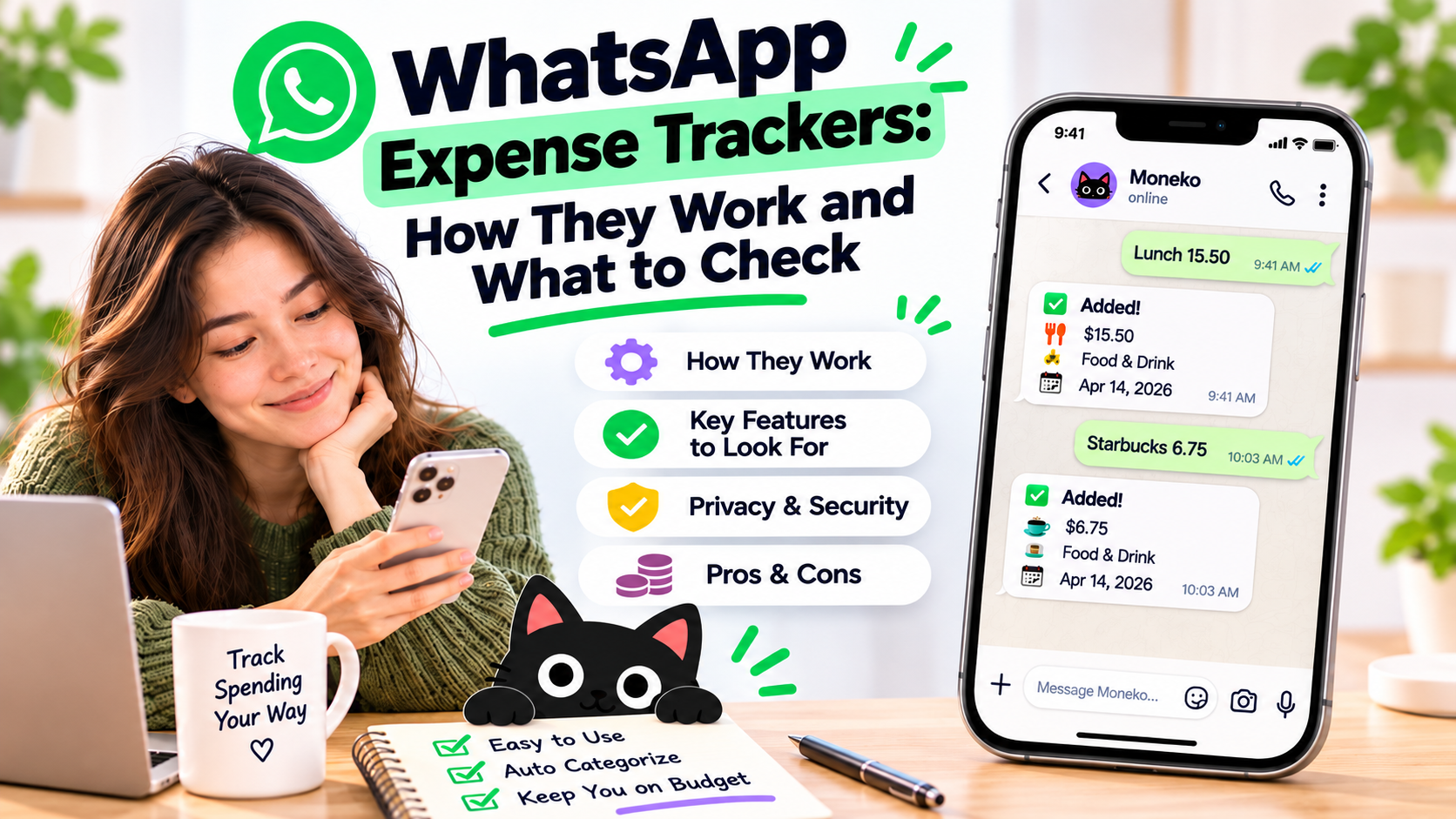
A WhatsApp expense tracker is a service that lets you record purchases by messaging a business or third-party assistant in WhatsApp. Depending on the service, you might send a text entry, voice note, or receipt image. The tracker may then turn that message into an expense record for you to review.
These services can make it easier to capture a purchase while you remember it. But capabilities vary: a tracker may only record messages, or it may connect those entries to a budget. Check how the service handles mistakes, what information it stores, and whether it fits the way you want to track money.
How does a WhatsApp expense tracker work?
Typically, you connect to the service through a setup flow, then send it messages in a supported format. For example, you might send “Lunch 18.50” or a photo of a receipt. The service processes the information and may identify the amount, merchant, date, or category.
Some trackers return a confirmation or show a balance from the budget data you’ve recorded. Others may provide only a transaction list. Don’t assume that every bot can read receipts, understand voice messages, split expenses, or connect with a budgeting app. Check the product’s instructions for supported inputs and features.
A simple workflow looks like this:
- Connect to the service. Follow the provider’s official setup instructions.
- Send an expense. Include enough detail to identify the purchase and amount.
- Review the result. Check the amount, merchant, date, currency, and category.
- Correct errors. Edit or remove an entry if the service supports it.
- Check your budget separately. Confirm how the tracker updates totals or category balances.
For example, suppose you message “Groceries 64.20.” If the service records the amount as 64.20 in the groceries category, check the saved entry before relying on the category balance. The example assumes the amount and category are correct and that no other purchases are missing.
What can a chat-based expense tracker capture?
Input options depend on the provider. Some services support text messages, while others may also accept voice or receipt images.
| Input | What it may help record | What to review |
|---|---|---|
| Text message | A purchase and amount you type | Merchant, category, date, and currency |
| Voice note | A spoken expense, if supported | Transcription and amount |
| Receipt image | Details visible on a receipt, if supported | Total, date, tax, and any extracted items |
A receipt can be blurry, and a voice note can be misheard. A merchant name alone may not reveal what you bought. Treat automated entries as drafts to check, especially when the record matters for a shared budget, reimbursement, or tax documentation.
Also distinguish expense capture from bank synchronization. A message-based tracker can record what you tell it without necessarily importing transactions from your accounts. If bank connections are offered, review which institutions and account types are supported and what data the service receives.
Is it safe to send financial information over WhatsApp?
Privacy depends on both the messaging setup and the tracker provider. Don’t assume that encryption in a messaging app means a finance service cannot process or retain the message. WhatsApp’s guidance explains that conversations with some third-party agents are handled by a service on the agent’s behalf and are not considered end-to-end encrypted. WhatsApp Help Center: third-party agents
Before using a tracker, check:
- What message content, receipts, voice-derived information, and account details it collects.
- How long it keeps messages and expense records.
- Whether it uses an outside AI or processing provider, and what that provider may retain.
- How you can delete your data or disconnect the service.
- Whether the provider asks you to enter information that is unnecessary for recording expenses.
Avoid sending bank passwords, card security codes, or other credentials in a chat. Use the provider’s official setup method, and check that you are messaging the intended service. If you’re unsure about its data practices, use an expense tracker whose privacy terms you can review, or record expenses locally instead.
WhatsApp tracker or budgeting app: which should you choose?
A chat tracker may be convenient if you want to log purchases by messaging. A budgeting app may be a better fit if you want to plan category limits, review spending in one place, or manage shared budgets. Some services combine both types of features, but verify what the particular product supports.
| Consideration | Chat-based tracker | Budgeting app |
|---|---|---|
| Recording an expense | Message the service, if supported | Enter it in the app; some apps also support quick capture |
| Budget categories | Depends on the tracker | Often part of the app’s budgeting tools |
| Reviewing records | May happen in chat or a separate dashboard | Usually available in the app |
| Shared spending | Depends on supported features | Some apps provide shared budgets or spaces |
| Privacy controls | Review messaging and provider terms | Review app, account connection, and provider terms |
There is no single best option for everyone. Consider whether you primarily need quick capture, a detailed spending plan, shared records, or a combination.
A note on Moneko AI
Moneko’s current product guidance describes expense capture through text, voice, and receipt photos, with saved entries that users can review or edit. It also describes Pockets for organizing spending and shared Spaces for collaborative budgeting. These are app features; check Moneko’s current documentation for availability and details. How to log an expense in Moneko · How to use Pockets · Managing shared Spaces
For messaging-based finance services, including any third-party integrations, review the relevant privacy information separately. Moneko’s policy says it is not an end-to-end encrypted service and describes the information its AI features may process. Moneko Privacy Policy
Frequently asked questions
Do I need to connect my bank account to track expenses in WhatsApp?
Not necessarily. Some services let you record expenses by sending messages without linking a bank account. Check the provider’s setup and account-connection information to see how its specific service works.
Can a WhatsApp expense tracker read receipts?
Some services support receipt images, but recognition and extracted details vary. Check the total, date, merchant, and any item details before relying on the saved record.
Can I use voice notes to record expenses?
Only if the tracker supports voice input. If it does, review the transcription and resulting expense because amounts and merchant names can be misheard.
Can I use a tracker for shared household expenses?
Some products support shared records or expense splits; others don’t. Confirm whether members can see each other’s entries and how the service records who paid.
Does a chat tracker replace a budgeting app?
Not always. A chat tracker may focus on recording expenses. Budgeting tools can also help organize categories and compare spending with a plan. Check which functions are included before choosing.
The takeaway
A WhatsApp expense tracker can provide a convenient way to record purchases by message, if the service supports the inputs you want. Review each entry, confirm the tracker’s budget features, and read its privacy terms before sending financial information. A short message can help you capture a purchase, but the quality of your budget still depends on accurate, complete records.
This article is for informational purposes only. It is not financial, investment, tax, or legal advice.
